Records
Introduction
Records for tutors are found in the Student Management area, accessed via the Tutor icon.

Register
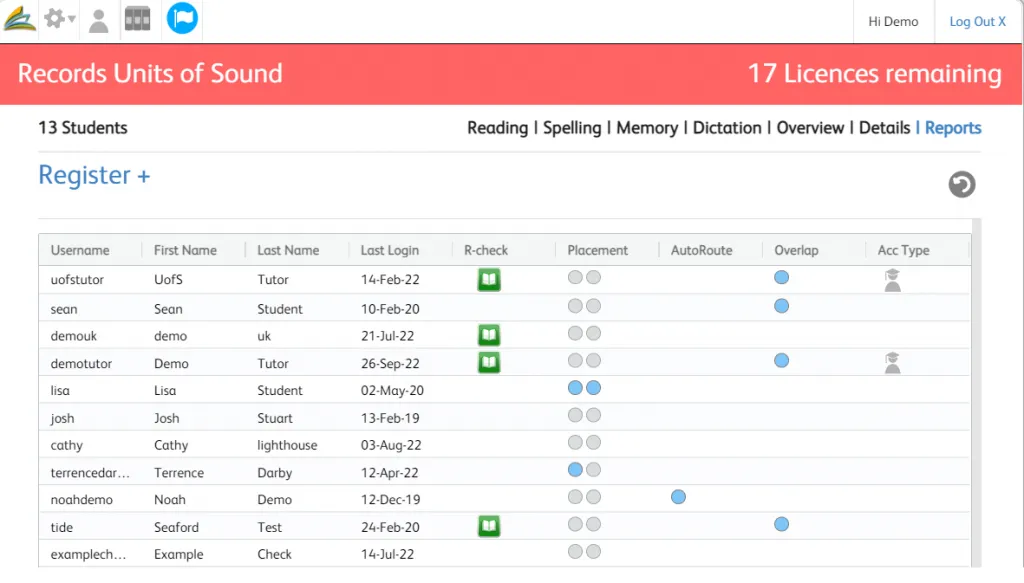
The Register is where all a tutor’s students’ names and details are listed.
Highlight the student name whose records you want to look at.
Click on the record label (Reading, Spelling, Memory, Dictation, Overview, Details, Reports) to access the record you want.
Reading
Overview
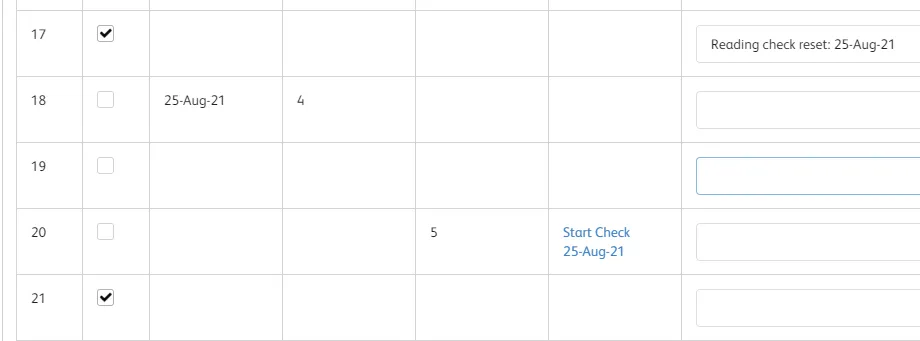
The Reading Record shows:
- Pages not set for the student – unticked with no date or time.
- Pages set for the student – ticked.
- Page number accessed, date and time taken (if Overlap is set on – there will be 2 tick boxes).
- Reading Check set.
- Memo area for tutor notes.
Reading Check Record
The Reading Check date will be set automatically when the tutor completes the check
The set column guides the tutor when the next Reading Check set is due – this corresponds to the set number on the rosette screen of the student’s reading page
Any pages reset from the Reading Check results page will be automatically reset on the program.
NB: The Overlap option is for students who are likely to need more repetition. The Good Practice Checklists help you make sure the students get the most out of Units of Sound. Making use of these reduce the need to reset pages.
Memo
The Memo area is a free text space for you to record anything you like regarding the student’s work in the reading program.

Spelling

Spelling Records show:
- Pages not set.
- Pages the student has worked on.
- Pages set for future work.
- Date and time a page was completed.
- Score obtained in Check Spelling.
- Access to student work in Check Spelling.
- Memo area for tutor notes.
Memory

Memory Records show:
- Pages not set.
- Pages the student has worked on.
- Pages set for future work.
- Date and time a page was completed.
- Score obtained in Memory Phrases.
- Access to student work in Memory Phrases.
- Memo area for tutor notes.
Dictation
Dictation Records show:
- Pages not set.
- Pages the student has worked on.
- Pages set for future work.
- Date and time a page was completed.
- Score obtained in Dictation exercise.
- Access to student work in Dictation.
- Memo area for tutor notes.
Records Overview
Introduction
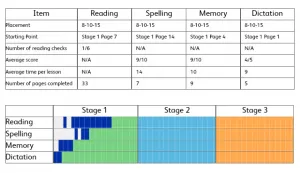
This is the “at a glance” view of a student’s work completed so far in all four skills areas.
To access: highlight the student’s name in the Register and click on Overview in the menu tab.
The following document is a guide to the Overview and useful to give to parents/guardians of students: Overview-Guide.pdf
Table
- Date of Placement Exercises
- Starting page numbers for the four skills areas
- Number of sessions the student has worked on each skill area
- Number of Reading Check activities completed
- Average score for Check Spelling, Memory Phrases and Dictation
- Average time taken on the scored activities
- Number of pages completed so far
- Number of pages repeated on the scored activities.
Overview Chart
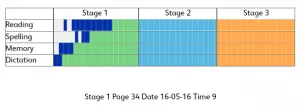
The chart shows:
- The pages of Units of Sound the student has completed.
- The pages of Units of Sound the student has been set.
- The pages of Units of Sound the student does not have to complete.
Reports
Reports provide the tutor with a detailed log of student activity and progress on Units of Sound. They can be saved as a pdf for printing.
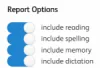
The tutor can choose what skills are included in the Report via Report Options. It is possible to display more than one student report at a time by clicking on multiple students in the student name column.
The Report includes:
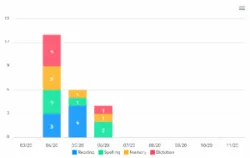
- Pages per session graph. If you click on multiple students then the graph will display the activity for all selected students. This can be useful for an overview of how much Units of Sound is being used in your classes.
- Progress Overview table.
- Recent activity – showing the last 10 sessions.
- Reading:
- Sounds secure on Placement.
- Sounds completed.
- Spelling:
- Sound secure on Placement.
- Sounds completed.
- Memory: Memory Phrases.
- Dictation: Sentences.
Reporting on Progress
Tutors can use the Overview, Records, Reports and Reading Fluency results to provide feedback on student progress to the school, parents and students.
- Overview: summary of progress including visual bar chart, total number of pages completed in each skill, average scores.
- Records: saved results of Check Spelling, Memory Phrases and Dictation exercises. Shows exact stage and page reached for each skill and number of Reading Checks completed.
- Reports: detailed information on what was secure on Placement and feedback on all sounds, words, phrases and sentences that the student has covered. Also shows Reading Check covered.
- Reading Fluency: uses Reading Check passages to measure reading fluency progress. Guide in the Library.
NB There is more information on Measuring Reading Fluency in the Library.