Word Blocks
Explore
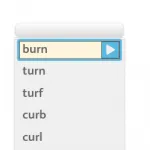
This is where the new words for spelling are introduced. As this is the first spelling activity, there are tools in place to support the student.
- The words are displayed on the screen initially.
- Click on the Unit of Sound to reveal the audio / visual pattern in the words – this is the one pencil explore stage.
- The student should scan the words to notice any unusual spellings or word patterns and note any punctuation.
- It is recommended the student reads the words aloud.
- Click on the arrow (as in Reading) to start the activity – this moves the student into a 2 pencil practice phase.
Practice
- The words disappear once you start the activity.
- Click on the arrow in the activity box to hear the word for spelling.
- Repeat the word aloud.
- Type the word, saying the letter names (not the letter sounds) aloud.
- This helps memory and supports the multisensory loop.
- The words can be heard as many times as needed.
Marking & Feedback
- Click on the tick to mark the word.
- If the tick turns gold then the word is correct.
- If it doesn’t, the word is spelled incorrectly and the student needs to have another go.
- The student has three attempts at spelling the word correctly.
- If the word is still wrong after three goes, the word is locked and the correct spelling is shown in Hints & Tips.
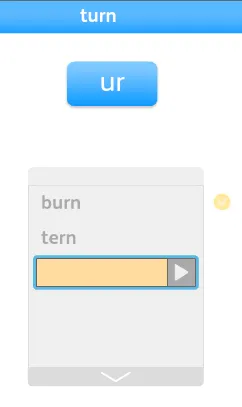
Homophones
Homophones are words that sound the same but have different spellings, e.g. their/there.
They occur mostly in Check Words and Check Spelling because the words there are not conforming to a set pattern.
If the target word is a homophone and the alternative spelling is used on the third attempt, the tick turns pink and the student has another go at spelling the word correctly.
If a student types main in a block where the unit of sound is a-e for instance, then it will be marked wrong because it does not conform to the pattern on that page.
Completion
Stars show how many blocks of words there are on the page.
- Click for the next block of words.
- When all the stars are filled in you have finished the activity.
- Click on the arrow on the right hand side to move onto the next activity in the usual way.
- If there is more than one UofS on a page, the new UofS and word blocks will be shown next.